
Drivers cleared to drive, with every license and medical on file.
Send each new driver one private link. They upload their license front and back, their driving record, their medical card and any tickets the work needs, sign your agreement, and owner-drivers add their registration and insurance. WorkZerk chases what is missing and reminds them before anything expires.
30-day free trial. No credit card.
Sound familiar?
A medical card lapsed and nobody noticed
The expiry date was on a photo in someone's inbox. The driver kept driving, and the first anyone heard of it was at a roadside inspection or an audit.
Owner-drivers send their papers in pieces
The registration by text, the insurance certificate by email, the license as a blurry photo. Each one in a different place, none with its expiry date written down.
"Show me what you checked before they started"
An auditor, an insurer or a client asks about a driver who started 18 months ago, and the answer is a folder search and a guess.
How driver onboarding works in WorkZerk
- Step 1
Start from the driver pack
Add the ready-made driver pack for Australia, New Zealand, the UK or the US alongside the staff or contractor pack, then your driver agreement to sign and your induction as a checklist.
- Step 2
Invite drivers, or let them sign up
Add drivers, import them from a CSV, or put a self-registration link or QR code on the depot wall. Each driver gets their own link, with nothing to install and no password.
- Step 3
Approve, and let the status follow
Approve each upload or send it back with a reason. An automation can move a driver to "Cleared to drive" once their documents are approved.
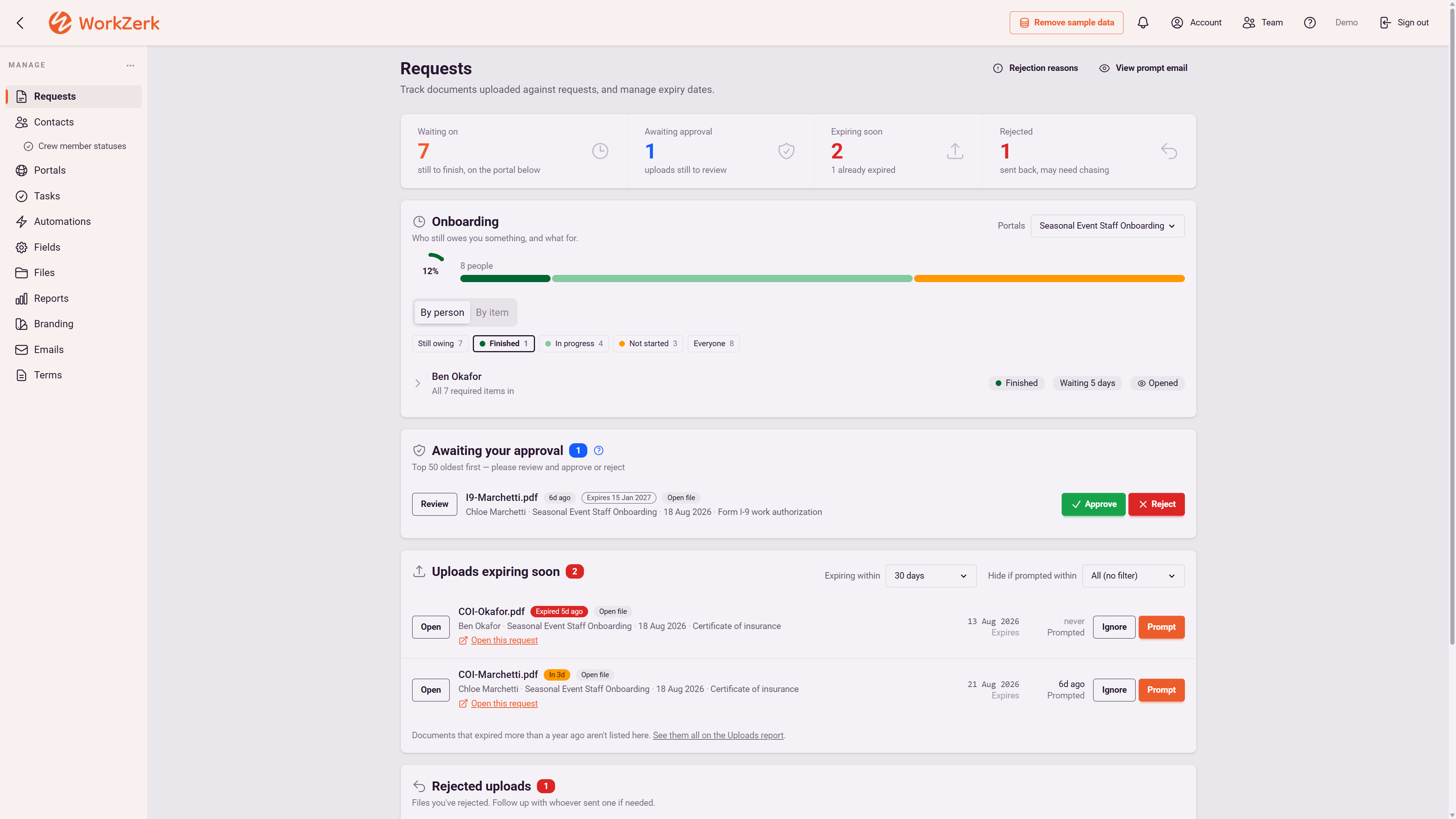
What you can collect from a driver
- Driver license, front and back, with its expiry date
- License class and endorsements
- Driving record, asked for again each year
- DOT medical card or medical certificate
- Dangerous goods, forklift, Driver CPC and tachograph cards
- Previous employers, for your safety history checks
- Owner-driver registration, vehicle insurance and goods in transit insurance
- Signed driver or owner-driver agreement
- Depot or site induction, step by step
A driver pack for your country
US: CDL, DOT medical card, driver application, previous employers and Clearinghouse consent. Australia and New Zealand: license, class, driving record and tickets. UK: license, DVLA check code, Driver CPC and tachograph cards.
Owner-driver questions only for owner-drivers
Ask "Employee or owner-driver?" and gate the vehicle and insurance section on the answer. Employee drivers never see it.
Reminders before anything expires
Licenses, medical cards, tickets, registration and insurance each carry an expiry date. The expiring reminder emails the driver 30 days out, and the expired reminder follows up.
A fresh driving record every year
A driving record has no expiry date, so "Time to ask again" asks for a new one 365 days after you approved the last.
Licenses and medicals kept private
The driver pack marks the license, driving record and medical as sensitive. They are stored encrypted, masked for your team, and only admins can open them.
Cleared or not, at a glance
The document compliance report lists every driver against every document you ask for and says who is compliant. It exports to CSV for an audit or a client.
One record per driver
A driver who works across several depots or contracts renews their license once. The document follows the person, not the job.
$9.95 a month, every feature included.
25 people can be onboarding at once, with no limit on how many you put through in a year. Colleagues who work in the account with you are $4 a month each.
See pricingQuestions
Do drivers need an account or an app?
No. Each driver gets a private link to their own portal. It opens in the browser on a phone, saves as they go, and a photo of a license or a medical card taken on their phone uploads as it is.
Does it work for owner-drivers and employee drivers?
Yes. Add the driver pack alongside the contractor pack for owner-drivers, or the staff pack for employees. The driver pack holds the driving documents, and the other pack holds the tax and bank details.
Does WorkZerk keep my driver qualification file?
It collects and keeps what the driver sends: the CDL, the medical card, the signed application and their previous employers, with expiry reminders on what lapses. Ordering motor vehicle records, running the Clearinghouse query and asking previous employers for safety history are still yours to do. WorkZerk holds the evidence, it does not check it with the agencies.
Does it check a license or driving record is genuine?
No. A person on your side looks at each upload and approves it or sends it back with a reason. The AI expiry check compares the date on the document with the date the driver entered, and flags a mismatch for you to look at.
Can it track the truck as well as the driver?
For an owner-driver with one vehicle, yes: the registration, inspection and insurance sit on their record with expiry dates. WorkZerk has no separate vehicle record, so it is not fleet maintenance software and does not track hours, work diaries or tachograph data.
How much does it cost?
One plan at $9.95 a month with every feature, including 25 active drivers at a time and no limit on how many you onboard in a year. Colleagues who work in the account with you are $4 a month each. Try it free for 30 days, no credit card.
Why does WorkZerk cost so much less?
It does one job (paperwork, expiry dates and chasing), not HR, payroll or training. There's no sales team: we'll happily show you on a live call, but nobody follows up, there's no quote and no contract to negotiate. It's one published price: $9.95 a month with 25 active people included. Above 25 at once, each extra person is 5 cents a day while they hold a live link, so 100 people with live check-in links all month comes to about $122 in total. You pay for the account, never the people you onboard.
One account onboards everyone else too
- Contractor onboarding
- Contractor compliance
- Staff onboarding
- Student onboarding
- Patient onboarding
- Client onboarding
- Customer onboarding
- Member onboarding
- Volunteer onboarding
- Supplier onboarding
- Visitor induction
- Guest registration
- Applicant onboarding
- Tenant onboarding
- Attendee registration
- Stallholder applications